Practical On-Page SEO for Small Businesses: Fast Wins That Improve Clicks, Not Just Rankings

Many small business owners hear the same promise repeatedly:
“We’ll get you to page one on Google.”
But rankings alone don’t pay bills.
Clicks, calls, enquiries, and conversions do.
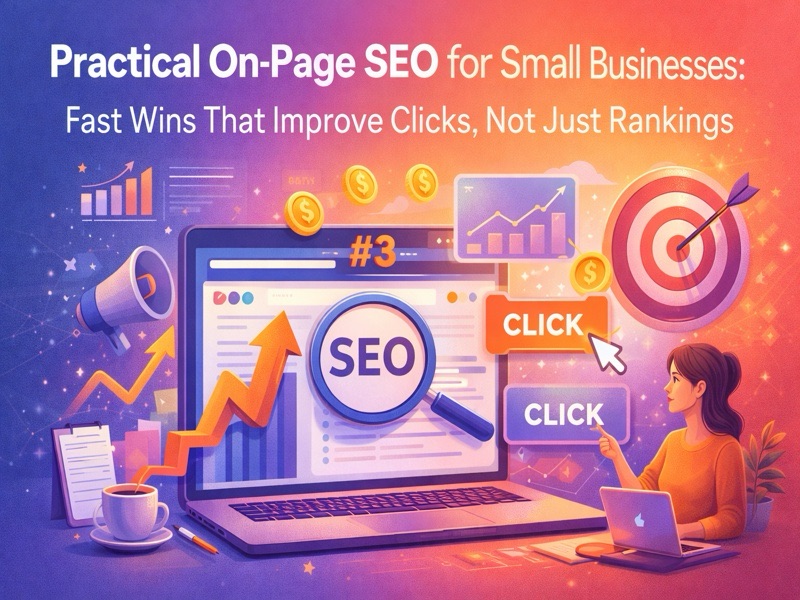
That’s where practical on-page SEO comes in — not as a technical obsession, but as a way to make sure that when your business appears in search results, people actually choose you.
This article focuses on fast, realistic improvements small businesses can make to increase click-through rates (CTR) and visibility — without chasing complex algorithms or expensive tools.
Why On-Page SEO Still Matters (More Than Ever)
Search results are more crowded than ever:
• Ads at the top
• AI overviews
• Maps and local packs
• Featured snippets
Even if you rank well, you’re competing for attention.
On-page SEO determines:
• How your listing looks
• Whether it feels trustworthy
• If it answers intent quickly
• And if someone clicks or scrolls past
In short, on-page SEO decides whether your ranking works for you or not.
- Titles That Compete for Attention, Not Just Keywords
Your title tag is your headline in the search results.
Many small businesses waste this space with:
“Best Digital Marketing Company in Mumbai | XYZ”
Instead, think like a reader.
Strong titles:
• Address a problem or benefit
• Set expectations clearly
• Feel human, not robotic
Better examples:
• “How Small Businesses in Mumbai Can Get More Leads Without Big Ad Budgets”
• “Affordable Website Design for Local Businesses – What Actually Works”
Google is smart enough to understand relevance.
Your job is to earn the click.
- Meta Descriptions That Answer ‘Why You?’
Meta descriptions don’t directly affect rankings — but they strongly influence clicks.
A good meta description:
• Explains what the page delivers
• Sets a clear benefit
• Builds trust or curiosity
Avoid generic descriptions pulled automatically by Google.
Instead, write them like a calm pitch:
“Learn practical, proven ways small businesses can improve local visibility, attract the right customers, and convert traffic into enquiries.”
If your description feels helpful, users are more likely to click — even if you’re not the first result.
- Headings That Guide Humans (and AI)
Your page should be scannable in seconds.
Good headings:
• Use natural language
• Reflect real questions
• Break content into clear sections
Instead of:
“H2: Services Overview”
Use:
“H2: What Services Do Small Businesses Actually Need?”
This helps:
• Readers find answers faster
• AI systems summarise content accurately
• Google understand page structure
Clarity beats cleverness every time.
- Opening Paragraphs That Respect Attention
Most visitors decide within 5–10 seconds whether to stay.
Your opening paragraph should:
• Acknowledge the reader’s problem
• State what the page will help them achieve
• Avoid long introductions
Skip company history.
Start with relevance.
If people stay longer, Google notices — and rewards that behavior.
- Internal Linking That Helps Decisions
Internal links are not just SEO signals.
They are navigation cues.
Smart internal linking:
• Guides users deeper into your site
• Shows topical authority
• Reduces bounce rate
For example:
• Link a blog post to a service page naturally
• Connect related articles to form a learning path
This creates a content ecosystem, not isolated pages.
- Simple Visual Enhancements That Increase Engagement
You don’t need heavy design.
Small visual improvements help:
• Break text monotony
• Improve time on page
• Clarify complex ideas
Use:
• Clean images
• Simple diagrams
• Highlighted quotes
• Short bullet lists
Pages that feel easier to read perform better — for both humans and algorithms.
- FAQ Sections That Boost Clicks and Visibility
FAQs are one of the most underrated on-page tools.
They:
• Match conversational search queries
• Increase trust
• Improve chances of rich results
• Help AI extract answers
FAQs should be:
• Real questions customers ask
• Clear and concise
• Honest (not salesy)
When users see their exact question answered in search results, they click.
- Page Speed & Mobile Experience (Without Overthinking)
Most small business traffic is mobile.
Basic checks matter:
• Fast-loading pages
• Easy-to-read fonts
• Clickable buttons
• No intrusive pop-ups
You don’t need perfection — you need comfort.
If your page feels frustrating, users leave.
If users leave, rankings and clicks suffer.
What Small Businesses Should Stop Doing
• Writing content only for keywords
• Using generic titles copied from competitors
• Ignoring meta descriptions
• Overloading pages with jargon
• Designing for search engines instead of humans
SEO that ignores user behavior eventually stops working.
Why Click-Focused SEO Is the Smart Strategy
Google increasingly measures:
• Engagement
• Dwell time
• Satisfaction
If people consistently choose your listing and stay on your page, rankings follow naturally.
That’s why improving click appeal is often faster and more effective than chasing backlinks or publishing more content.
Inspiration Unlimited Takeaway
SEO isn’t about tricking search engines.
It’s about earning attention and trust in a crowded digital space.
Small businesses don’t need advanced tactics to win.
They need clear messaging, helpful structure, and respect for the reader’s time.
When your pages speak clearly, load comfortably, and guide users thoughtfully — clicks increase, confidence builds, and growth follows.
Because in the end, visibility without engagement is noise.