Home internet connections facilitate more activity than residents often notice. Streaming services, automatic updates, cloud synchronization, smart home devices, gaming platforms and background applications create data transfers throughout the day. When unnecessary activity continues, it uses available bandwidth and causes slower performance. Lowering avoidable traffic does not require a faster internet plan. Residents can instead observe how equipment uses the connection plus make practical changes to improve efficiency.
Review Connected Devices
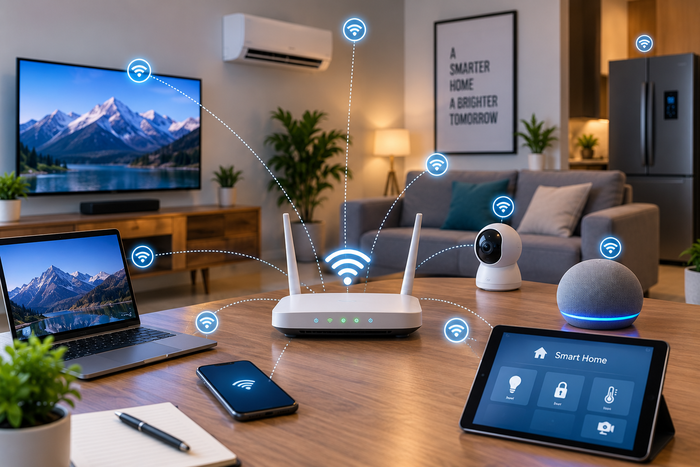
The first step is to identify every piece of equipment connected to the home network. Computers, televisions, gaming consoles, tablets, security cameras, speakers and smart appliances communicate with online services even when nobody uses them. Reviewing the device list through the router shows connections that are no longer necessary or equipment that uses a large amount of data. Removing old equipment from the network reduces unnecessary activity and improves organization. Households are encouraged to disconnect hardware that is rarely used or does not require internet access. Checking connected devices regularly is helpful as homes gain more technology. Fewer active connections make it easier to understand where bandwidth is used.
Control Automatic Updates
Automatic software but also system updates keep equipment secure and functional but large downloads create significant internet traffic. Smartphones, gaming consoles and televisions download updates without a request from the user. Reviewing update settings helps residents decide when these downloads occur. Users are able to schedule major updates for times when the internet connection is less busy. Gaming consoles as well as computers are configurable to avoid downloads during work or study hours. Maintaining automatic updates is important for security but managing their timing prevents large transfers from interfering with activities that require an even connection.
Manage Cloud Synchronization
Cloud storage applications synchronize photographs, documents, videos and other files – this process creates both upload and download traffic, especially when large folders contain files that change often. Reviewing which folders are synchronized helps prevent unnecessary transfers or reduces the amount of data moving across the connection. Residents are able to check if multiple pieces of equipment synchronize identical files. A computer, tablet and phone may all keep copies of the same content and communicate with cloud services repeatedly. Adjusting synchronization settings next to excluding folders that do not need constant access makes internet use more efficient without stopping important file backups.
Adjust Streaming Habits
Video streaming is a frequent source of heavy internet traffic in modern households. High resolution video requires more data than standard or lower resolution playback and multiple simultaneous streams place a heavy demand on a connection. Adjusting video quality on specific equipment reduces traffic while providing a clear image. Streaming is manageable even when multiple residents share the same connection. A household experiences congestion when multiple televisions, phones and computers stream high resolution content at the same time. Selecting appropriate quality settings plus stopping active streams that nobody is watching preserves bandwidth for other activities like video calls, browsing and online work.
Manage Smart Home Devices
Smart home hardware generates internet traffic through cloud communication, remote access, monitoring and automatic data transfers. Security cameras upload continuous footage, while other devices communicate with their services regularly. Reviewing the settings of these products reveals ways to lower unnecessary activity without disabling functions. Residents are encouraged to examine if every smart device needs a continuous cloud connection. Some equipment offers local storage, scheduled uploads or adjustable monitoring settings that lower data transfers – these options are useful in homes with many connected devices, where small amounts of background traffic from many products create a large demand on the internet connection.
Monitor Internet Usage
Regular monitoring of internet usage makes it easier to identify unusual traffic but also understand consumption patterns. Router management tools and device settings provide information about which equipment is using the connection and when activity occurs – this information helps residents distinguish essential internet activity from avoidable transfers. Households are encouraged to consider if their current service matches their actual needs. If monitoring shows high usage from necessary activities, a plan with more capacity is appropriate. When comparing options, residents who research internet providers London Ontario are able to examine plans as well as data policies while considering household size, connected equipment and typical usage patterns.
Conclusion
Reducing avoidable internet traffic begins with understanding how connected equipment uses bandwidth. Reviewing devices, managing automatic updates, controlling cloud synchronization, adjusting streaming quality and monitoring smart home activity lower unnecessary data transfers – these steps make a home network more efficient or help important online activities receive the bandwidth they require. Regular monitoring allows households to recognize changing usage patterns and make adjustments before congestion becomes a persistent problem.