A lost keycard costs more than a replacement fee. It can sit in a parking lot for days, still able to open your front door, while the request to shut it off waits in a queue. Multiply that by hundreds of staff, contractors, and visitors, and plastic cards start to look like the weak link in workplace security.
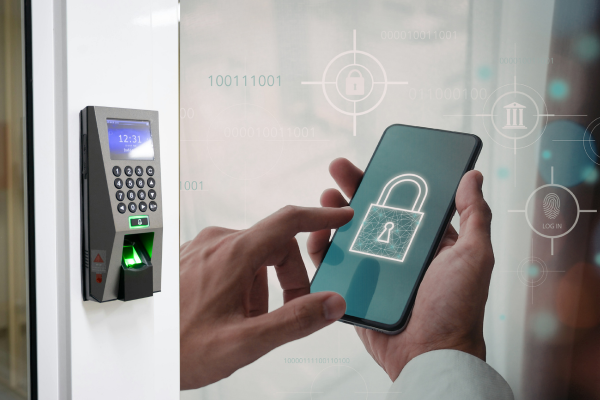
Smartphones are now taking their place. They bring encryption, biometric checks, and remote control that cards never had. Eight changes are covered here, along with an easy plan for dropping cards while keeping the readers you already own.
1. Remote Credential Issuing and Instant Revocation
The biggest change is where access lives. With mobile access solutions, rights move from a physical handoff to a dashboard action. An admin can grant or remove entry from anywhere in seconds.
A new sales rep can receive her credentials on Friday and walk in Monday without stopping at reception. When a contractor’s project ends early, his access is gone before he reaches the garage.
Modern access control systems also let teams adjust permissions without printing or collecting anything, which matters most in hybrid offices.
2. Stronger Authentication Than a Plastic Card
A card proves only that someone is holding it. People hand cards to colleagues all the time, and inexpensive equipment is enough to clone older card formats. To the reader, the rightful owner and a borrower look identical.
How Phone Security Layers Onto the Credential
A phone adds layers a card lacks. Before the door opens, company policy can require a PIN, fingerprint, or face scan on the handset. Encrypted storage holds the credential, so an opportunistic thief cannot easily get at it.
The checks finish in under a second at the mobile access control readers beside each door, and the morning line keeps moving. Many Bluetooth and NFC readers built for mobile access control systems can also ask for a fresh face or fingerprint check at sensitive rooms, which gives you two factors from one familiar device. Cards can’t do that.
Handling a Missing Phone
People usually notice a missing phone within minutes, far sooner than a missing card. The response is short:
- The user reports the loss to the help desk or a self-service portal.
- An admin revokes the credential remotely and checks the log.
- A new credential goes to the replacement device.
Some limits remain. The phone needs to be charged and must be in range, and some older handsets are not supported. The comparison below covers the options found in most commercial building access control systems.
| Criteria | Keycard | App-Based Credential | Wallet-Based Credential |
| Entry speed | Tap the card | Open the app or tap | One tap, no app needed |
| Authentication | Possession only | PIN or biometric plus encryption | PIN or biometric plus encryption |
| Lost credential | Works until disabled | Revoked remotely in seconds | Revoked remotely in seconds |
| Remote issuing | No, needs a handoff | Yes | Yes |
| Lifecycle cost | Cards, printing, shipping | Per-user licensing | Per-user licensing |
3. Tap-and-Go Entry With Wallet-Based Credentials
App-Based Mobile Badge
An app-based badge lives inside a dedicated access app. Guests who come by now and then fit this format well, as do teams that prefer one more step at the door.
Wallet-Based Credential
Staff who store a badge in Apple Wallet or Google Wallet can simply tap at the door, with no app launch needed. For daily users, the wallet route on commercial door access control systems means fewer steps and fewer help-desk tickets.
4. Upgrading Without Ripping Out Your Readers
Many buildings already have readers that speak to phones, so going mobile can be a matter of updating software rather than buying new devices.

Older wiring matters too. Moving from Wiegand to OSDP replaces a one-way, unencrypted signal with an encrypted two-way link. Before committing, check:
- Reader models and the credential types each one supports
- Controller age, wiring, and spare capacity
- Firmware versions
5. Smarter Visitor, Contractor, and Tenant Access
Visitors and vendors receive credentials that work only during set hours and at chosen doors, so reception no longer keeps a stack of temporary badges. In a multi-tenant tower, the operator can manage each tenant by floor and suite. Few changes do more to simplify access control for commercial buildings.
6. Access Data That Informs Real Decisions
Every entry is recorded without extra effort, and the data reveals busy days and vacant floors that guide cleaning and heating schedules, with audit trails backing compliance checks and incident reviews.
7. One Credential for Doors, Elevators, Parking, and Networks
A single phone credential can now open turnstiles, call elevators to the right floor, lift garage gates, and sign users into network accounts.
Mobile credentials are reshaping access control across built environments, according to the Security Industry Association. In practice, phone support is fast becoming a basic tenant expectation.
8. Lower Environmental Impact and Lifecycle Cost
Making, printing, mailing, and eventually dumping PVC cards all add costs that rarely show up on a budget line. Because phones replace most of that material, each user leaves a smaller carbon footprint. On the budget side, count card stock, printers, replacements, shipping, and admin hours, then weigh them against per-user licensing.
How much you save varies with size, and the switch can also feed into ESG and green-building reports.
How to Plan Your Move From Cards to Mobile
Points to Settle Ahead of Launching a Trial
Pilots tend to stall when these basics stay open:
- Which user groups move first, and why?
- Will staff use personal or company phones?
- Should management run in the cloud or on site?
A Phased Rollout That Keeps Doors Working
Start with one site and run cards and phones in parallel while users learn the new routine. Then retire cards one group at a time.
What This Means for Security and Facilities Teams
For teams still running cards, the most practical first move is a pilot, not a full replacement. Check which readers already support phones, then pick one user group with a clear pain point, such as contractors. Run cards and phones side by side for two or three months.
Before the pilot starts, record how long offboarding takes, how many card tickets reach the help desk, and what you spend on card stock. Those numbers turn the pilot into a clear yes or no. Should the results look good, widen the rollout group by group and site by site, leaving cards available for people who still depend on them.
Common Questions About Mobile Access Credentials
What Happens at the Door When an Employee’s Phone Loses Connection or Battery?
Readers usually check credentials locally over Bluetooth or NFC, so a network outage rarely blocks a door. An empty battery poses the greater threat. Most organizations keep a fallback, such as a spare card, PIN code, or front desk override, and they define it before launch so nobody gets stuck outside.
How Should Employers Handle Privacy Concerns When Staff Use Personal Phones as Credentials?
Collect only what entry requires, such as credential IDs and timestamps. Never track location or phone content. A written policy on what is logged, how long it is kept, and who can see it builds trust. Offering cards as an alternative also suits employees who prefer to keep their personal devices out of it.
How Hard Is It to Switch From Old Card Readers to Phone Credentials?
It is usually gradual. Multi-technology readers accept both old cards and phone credentials, so teams can switch by floor or department. Existing controllers and wiring can often stay, though older panels may need firmware updates or replacement. A site assessment helps estimate scope, timing, and budget.